
Native Mac AI Workspace
Chat, work with files, and automate tasks across your Mac.
Built for developers, researchers, and power users who want AI that can take action.
Or start with the Free version, which never expires.
Bring your own API keys and pay providers directly · macOS 14.6+ · Apple silicon & Intel
Search, read, and act on your workspace without leaving the app.
Turn repeatable tasks into workflows with agents, tools, and Mac integrations.
Branch conversations and navigate complex work with a visual map.
HUD, Finder, Shortcuts, and iPhone support in one native experience.
What Makes Cogitae Different
Built for real work on the Mac, with room to go deeper when you need it.
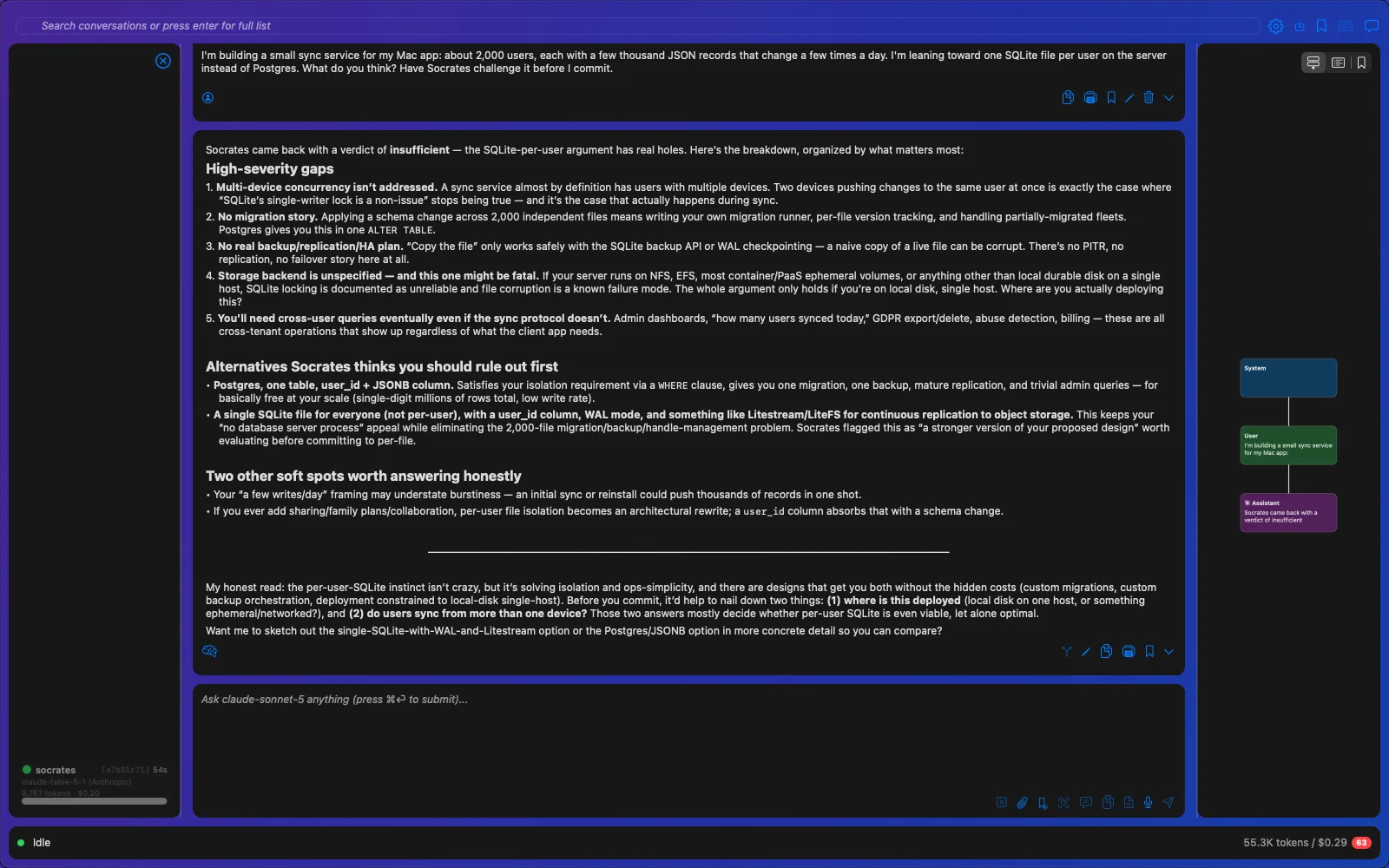
Socratic Reasoning
Bring in a second model to challenge the first before you act on the answer.
Agents from Plain English
Describe what you want automated, and Cogitae can build an agent for it.
Conversations
Rich, navigable conversations that stay useful as they grow.
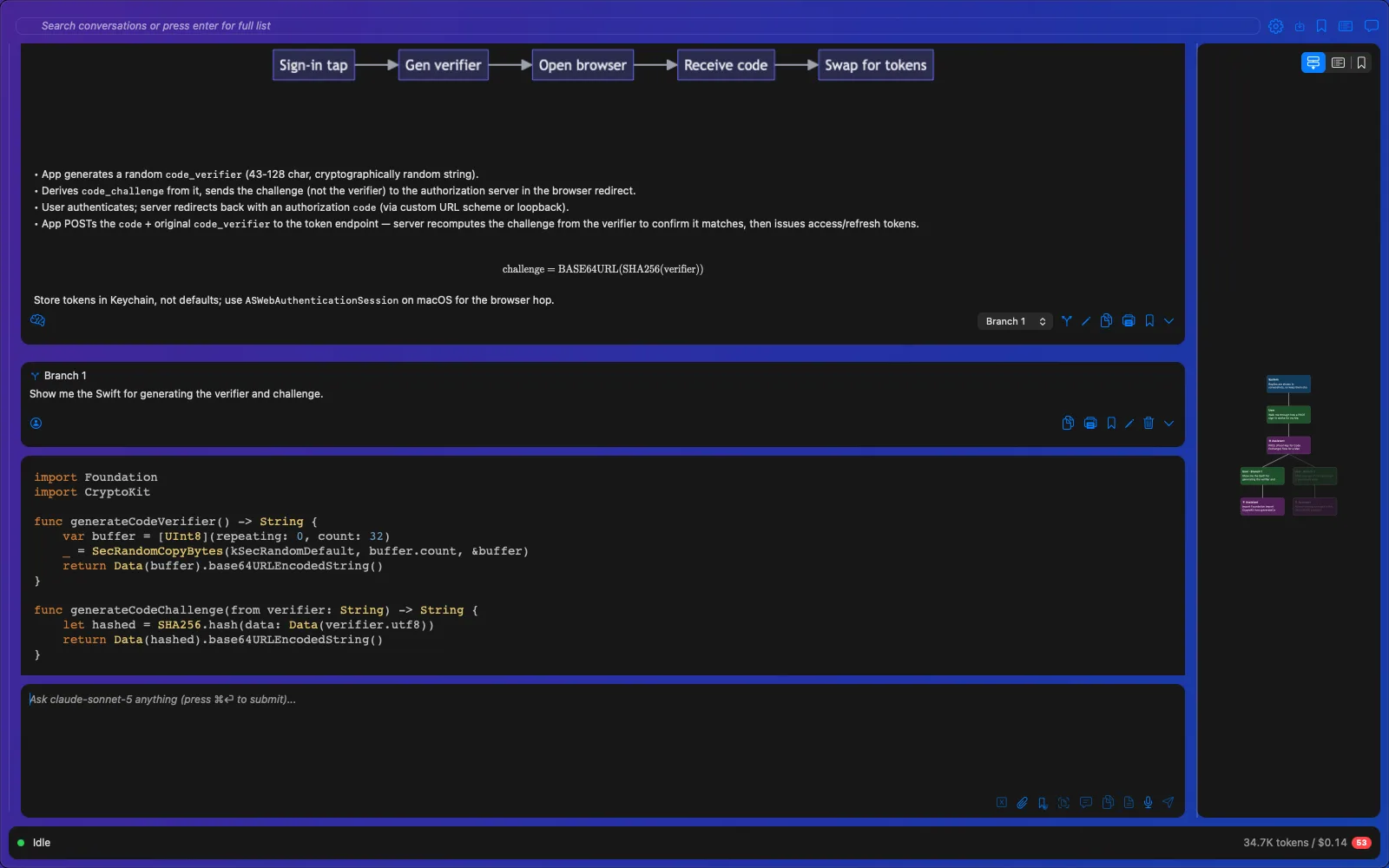
Rich Markdown Rendering
LaTeX math, Mermaid diagrams, charts, syntax-highlighted code, and interactive checklists — all rendered inline.
AI Summarization
Objects in the conversation are automatically summarized so you can scan long threads without re-reading everything.
Object-Resolution Bookmarks
Bookmark any message, code block, or result — not just a position in the scroll, but the actual object.
Branching & Conversation Map
Branch at any point to explore alternatives. A visual graph in the side panel shows your full conversation tree.
Graph & Bookmark Navigation
Navigate branches and bookmarks from an expandable side panel. Jump to any point in any branch instantly.
Spotlight Search
Search across all previous conversations with Spotlight-style instant results.
Voice Input
Dictate messages with built-in voice input — no separate app or accessibility toggle required.
Invoke Anywhere
Summon Cogitae with a Spotlight-like popup from any app. Ask a question without switching windows.
Agents
Event-driven agents that run in the background and work together.
System Event Triggers
Agents can fire on macOS system events — file changes, app launches, network state, and more.
Lifecycle & Timer Triggers
Trigger agents when another agent starts, finishes, or fails — or on a recurring timer schedule.
Manual Invocation
Run any agent on demand from the conversation, a keyboard shortcut, or the agent panel.
Shared Memory
Agents use the memory system to communicate with each other and persist state across runs.
Agent Execution Panel
A resizable left panel shows every running and completed agent with full execution details.
Budgets & Permissions
Each agent has a token budget and inherits from the conversation's permission system — no unchecked spending.
See one at work: Enik is an agent running in Cogitae who looks into something every day and writes up what he found. Read Enik's blog →
Tools That Take Action
The AI can use these tools, and dozens more, whenever a task calls for them. Ask for one by name, or let Cogitae choose.
Research & Reasoning
- sherlock Investigates a whole project across its files and code PAID
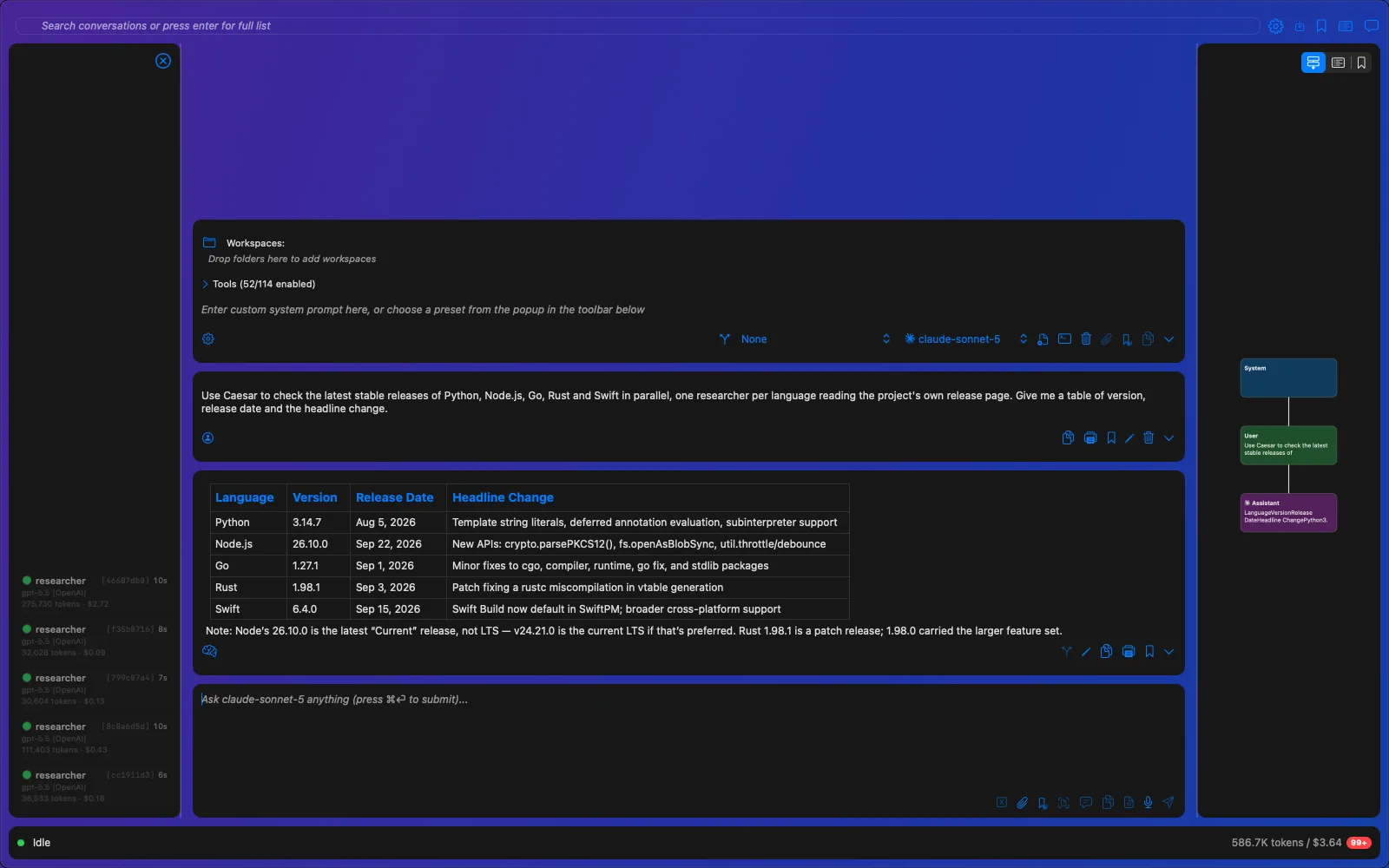
- caesar Splits a big task across parallel sub-agents PAID
- academic_search Searches arXiv, Semantic Scholar, and OpenAlex PAID
- memory Remembers what matters across conversations PAID
Files, Code & Web
- file Reads, writes, and edits files in folders you allow
- exec Runs commands with scoped permissions
- ssh Works on remote machines over SSH
- web Fetches pages and calls APIs
Your Mac
- calendar Creates and updates Calendar events, alongside Reminders and Contacts
- applescript Automates other Mac apps
Get more done on your Mac.
One-time purchase. The current major version on up to 3 Macs.
The iPhone and iPad app is free and works with every license on your local network. To reach your Mac away from home, the relay is included during a trial and for 30 days with a paid license, then $5/month or $50/year.